
The Latest Methods to Download Facebook Stories in 2025
Want to download videos from various social platforms like Facebook, Instagram, TikTok without limits? Tried many online tools that don't work? Use our Getvid Video Downloader browser extension to easily download high-definition, watermark-free videos from different social platforms. The new generation download tool is not only fast but also very user-friendly, suitable for users of all ages. Give it a try now!


Overview
Facebook Stories are a great way to share daily moments, but sometimes you might want to download certain Stories as keepsakes or for other purposes. However, due to Facebook changing how they handle streaming media, many tools have become ineffective. This guide will show you the latest multiple methods to download Facebook Stories, allowing you to easily download Facebook videos. These include:
- Using Online Tools
- Using Browser Extensions
- Using Desktop Applications

Supports 2000+ Websites
One-Click Download to Folder
Auto Naming
Method 1: Using Online Tools (Easiest)
Using fdown to Download
Open Facebook and find the Story you want to download
Open the Facebook App or website on your computer or phone, and open the Story you wish to download
Copy the webpage link of that Story
On the computer version, copy the URL directly. On the mobile version, use the share button to copy the link
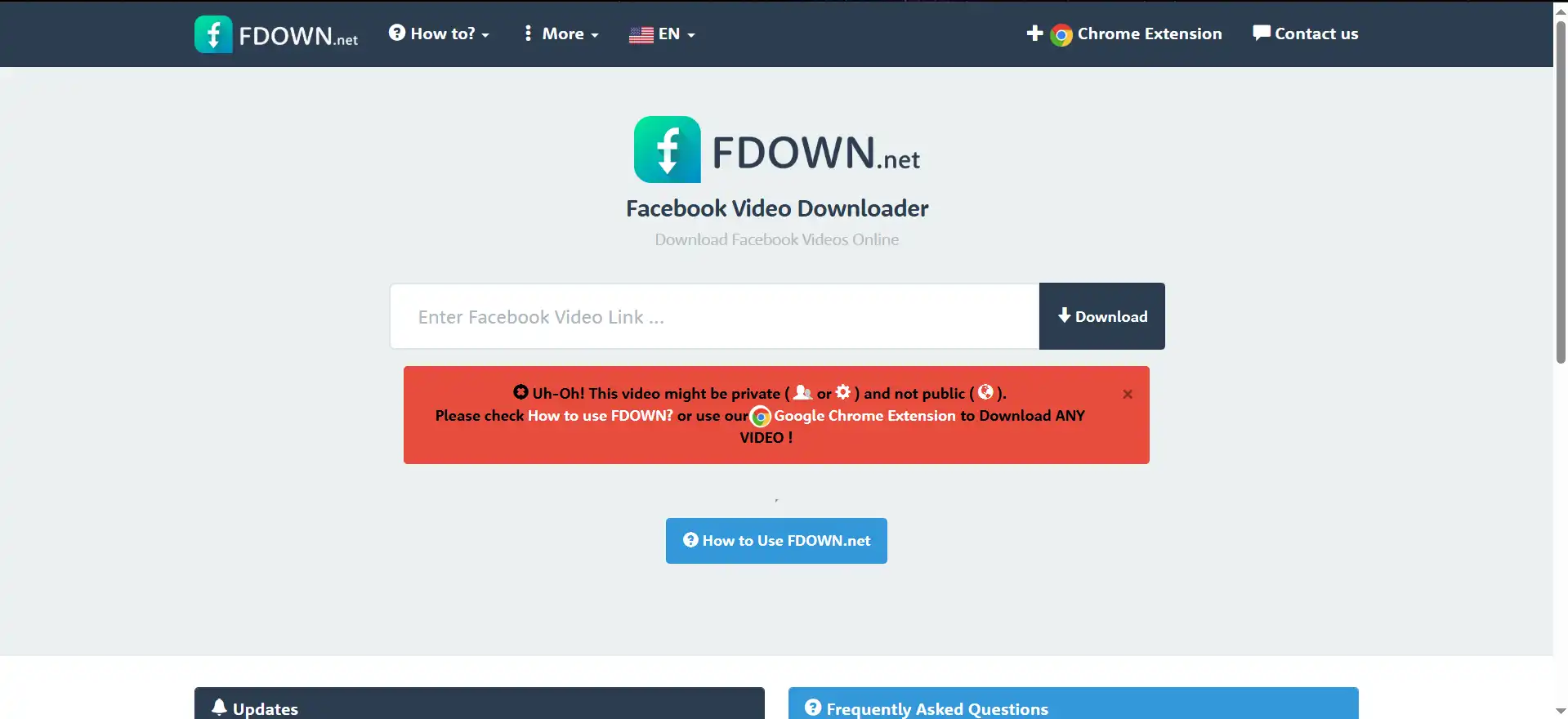
Paste the copied Story link
Paste the Story link into the input box, click the Download button, and wait for the download to complete
Notes
This method is the simplest among all, requiring only copying the link and pasting it into the input box. However, it is also the least efficient because you need to copy and paste the link for each Story. If you want to quickly download multiple Stories, this method is not very suitable. If you have a private account and wish to download your own Stories or videos, this method has limitations, as online download tools typically do not support downloading private videos, whether your own or others’. Although some websites might offer specific solutions, we do not recommend them as they could potentially lead to the leakage of your personal data.
Pros
No software installation required
No login needed, suitable for quick, small-scale downloads
Works on both mobile and computer
Cons
Requires manual URL copying
Cannot download private videos and Stories
Contains pop-up ads affecting user experience
Summary
The web-based method for downloading videos is suitable for quick, small-scale downloads but has its limitations. For example, downloading private Stories often doesn’t work with the copy-link method because it requires users to provide private information like account passwords, which is clearly unsuitable to share with third-party websites. Additionally, if you want to download only the video or only the audio, this method might not meet the requirements. The tool we will introduce next can solve these problems.
Method 2: Using Browser Extensions (Recommended)
What are Browser Extensions
Browser extensions are special software that can be installed directly into your browser. Most people use Chrome, Edge, and Firefox browsers for daily browsing, and they each have their own extension stores where you can find many useful extensions, including the ones we are introducing today that can download Facebook Stories. Most of these extensions comply with the standards set by major companies like Google, Microsoft, and Mozilla and have passed official reviews. You can use them with confidence without worrying about privacy issues.
Reasons to Use Browser Extensions
Compared to online tools, browser extensions provide richer functionality. They can analyze the content of the page you are on in real-time, such as videos, text, audio, or images, and many browser extensions offer the ability to download them. These features remain highly popular among millions of users. These extensions not only provide a convenient experience but also greatly speed up tasks that previously required cumbersome processes. For modern users, having a few browser extensions can bring significant convenience.
How to Use Extensions to Download Facebook Stories?
To download Facebook Stories, we will focus on introducing several video download tools below. They each have their own advantages and disadvantages, and users can choose the tool that best suits their needs.
Recommended Extensions
| Extension Name | Supported Browsers | URL |
|---|---|---|
| GetVid - The Professional Video Downloader | Chrome, Edge, Firefox | URL |
| Video DownloadHelper | Chrome, Edge, Firefox | URL |
| Story Saver | Chrome, Edge | URL |
Installation and Usage
GetVid - The Professional Video Downloader (Preferred)
Search for GetVid in Chrome Web Store
Open Google Chrome or Edge browser on your computer, search for GetVid, then click install
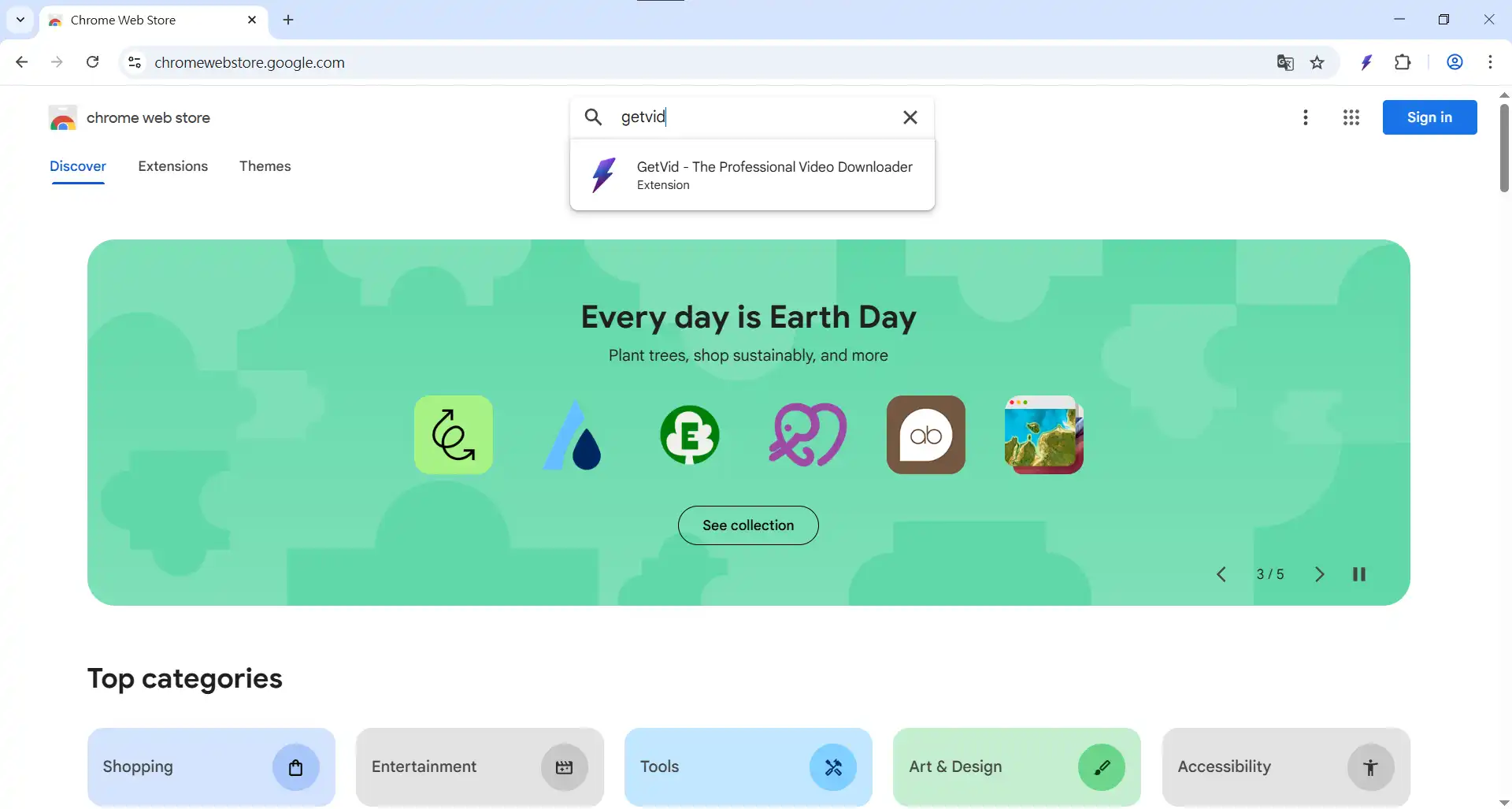
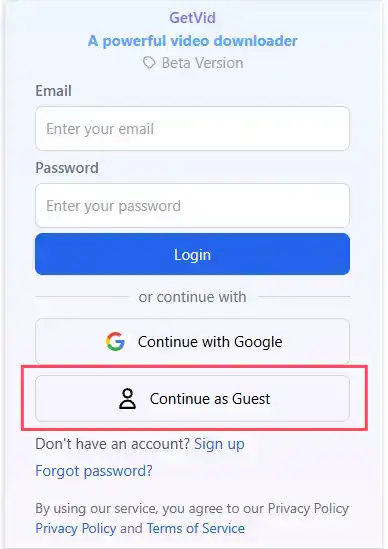
Basic Setup
Find the GetVid icon in the top right corner of the browser, enter guest mode, you'll see a small blue area in the bottom right showing videos on the current page
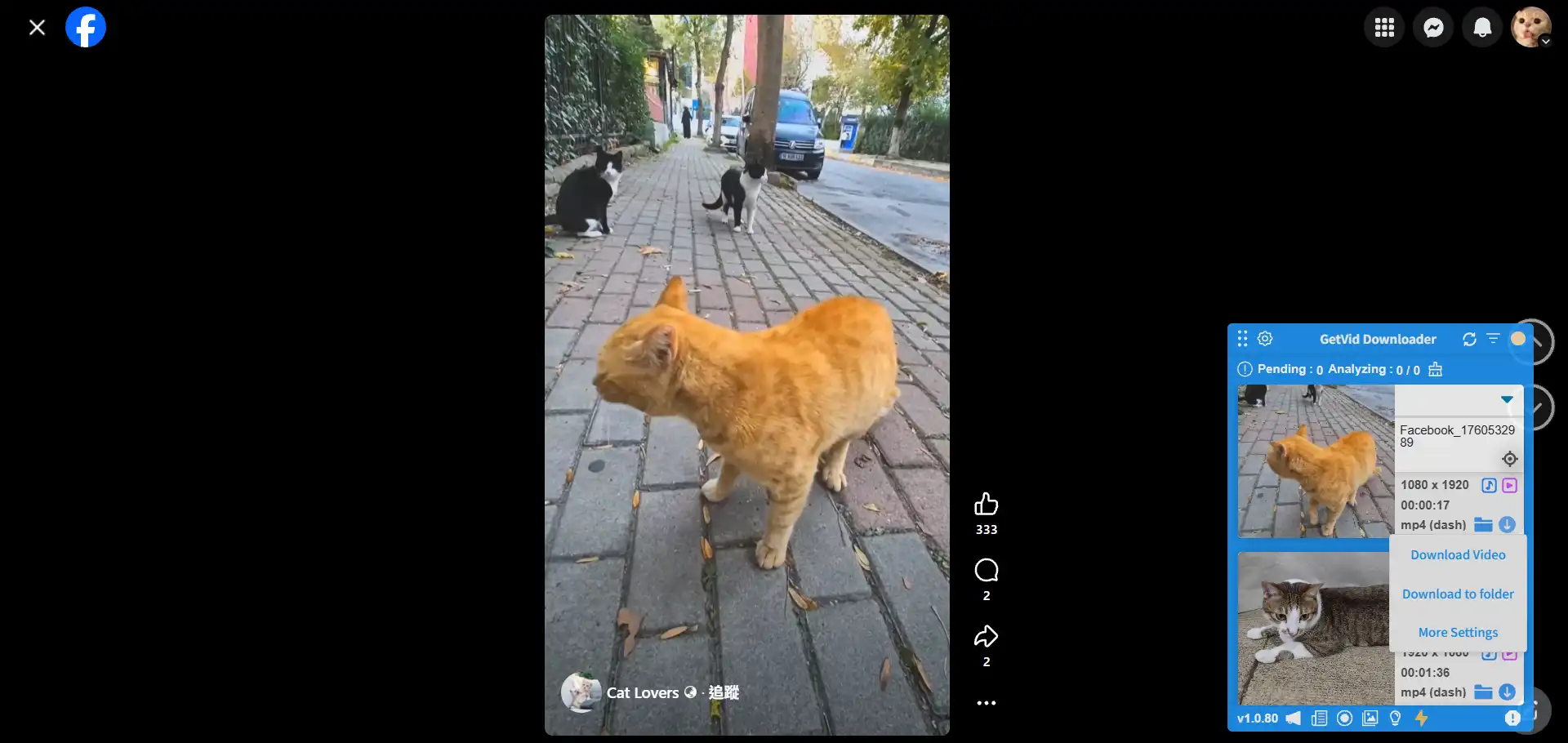
Download
Go to the Facebook video page you want to download, when the video is fully analyzed, click the download button and save to your specified path
Pros
Free on Facebook
No login required
Can download Facebook Reels, Stories, Videos
Supports multi-platform downloading
Built-in image download mode, can download website images
Can download private videos
Downloaded videos include both audio and video
Fast download speed
Cons
Only works on desktop browsers
Video DownloadHelper
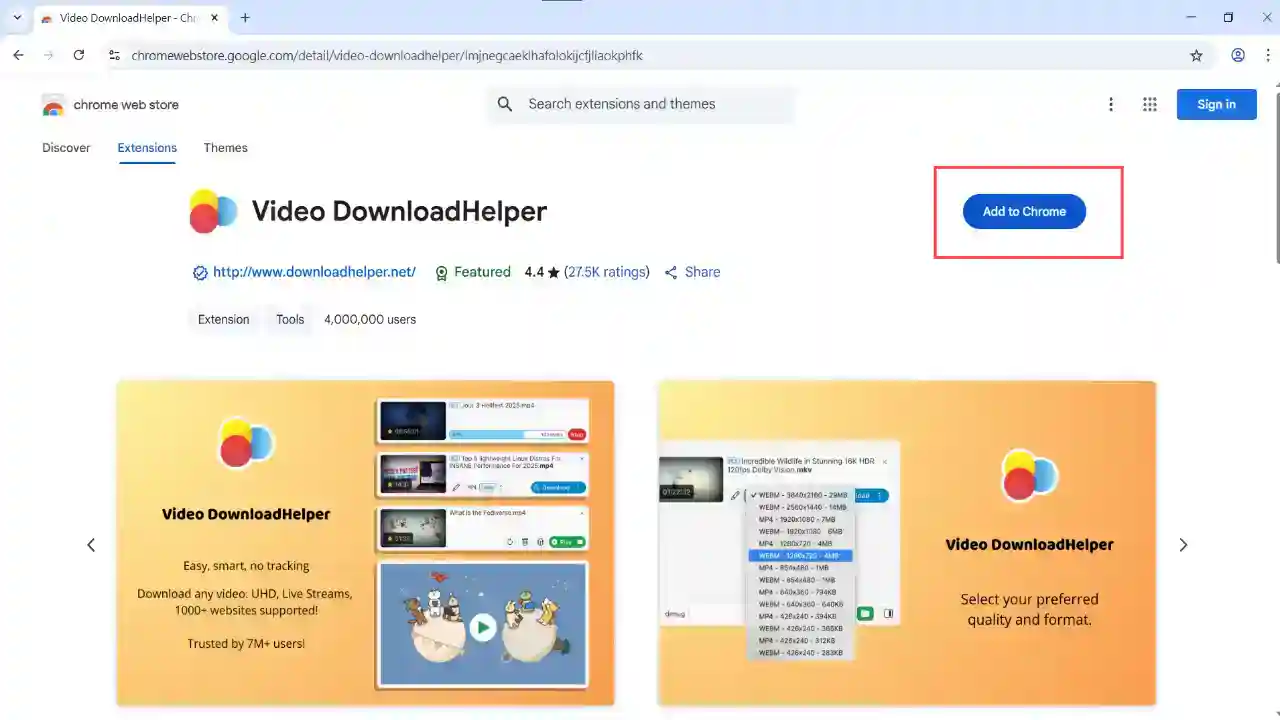
Go to the Chrome Web Store and search for Video DownloadHelper
Open Google Chrome or Edge browser on your computer, search for Video DownloadHelper, and then click install
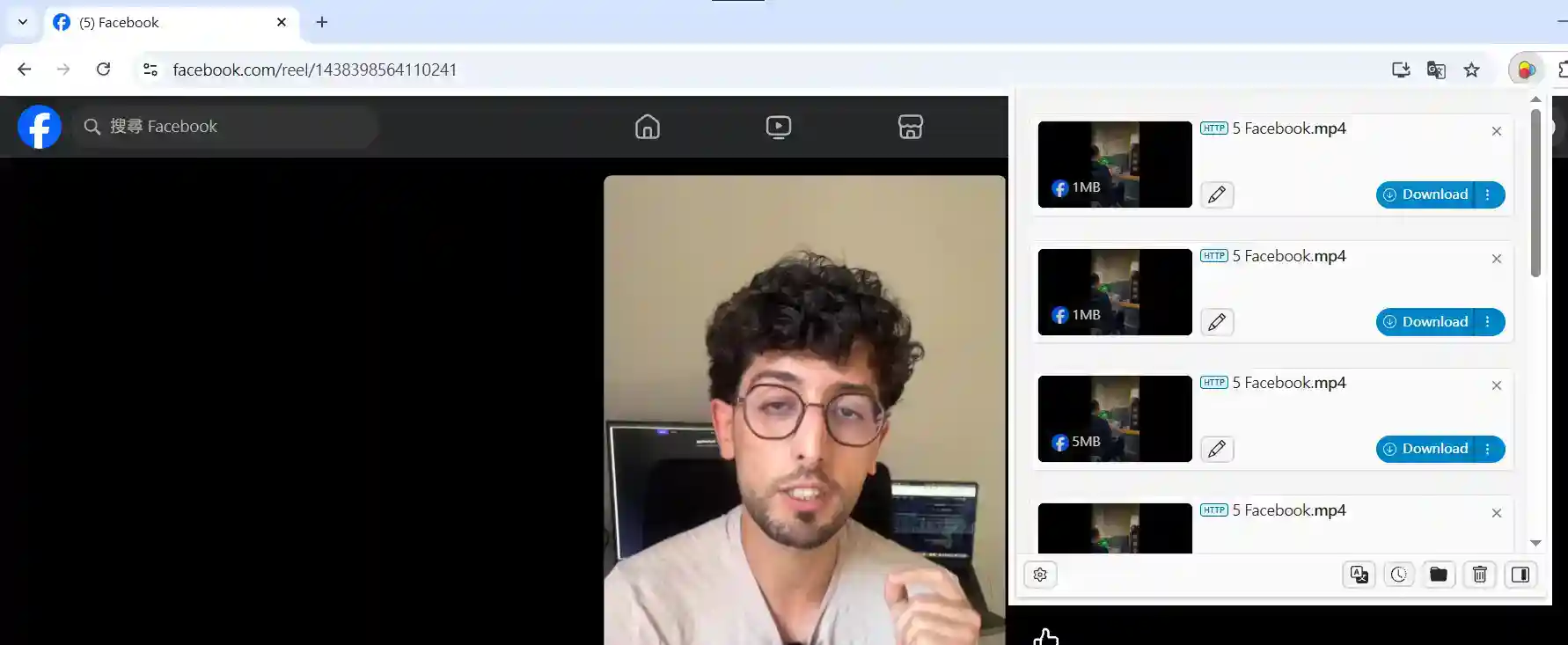
Download
Go to the Facebook video page you want to download. After the video is fully analyzed, click the download button and save it to your specified path
Pros
Free
No login required
Can download Facebook Reels, Stories, Videos
Supports multi-platform downloading
Can download private videos
Cons
Downloaded file might not include audio
Only works on desktop browsers
Cannot download every video
Story Saver
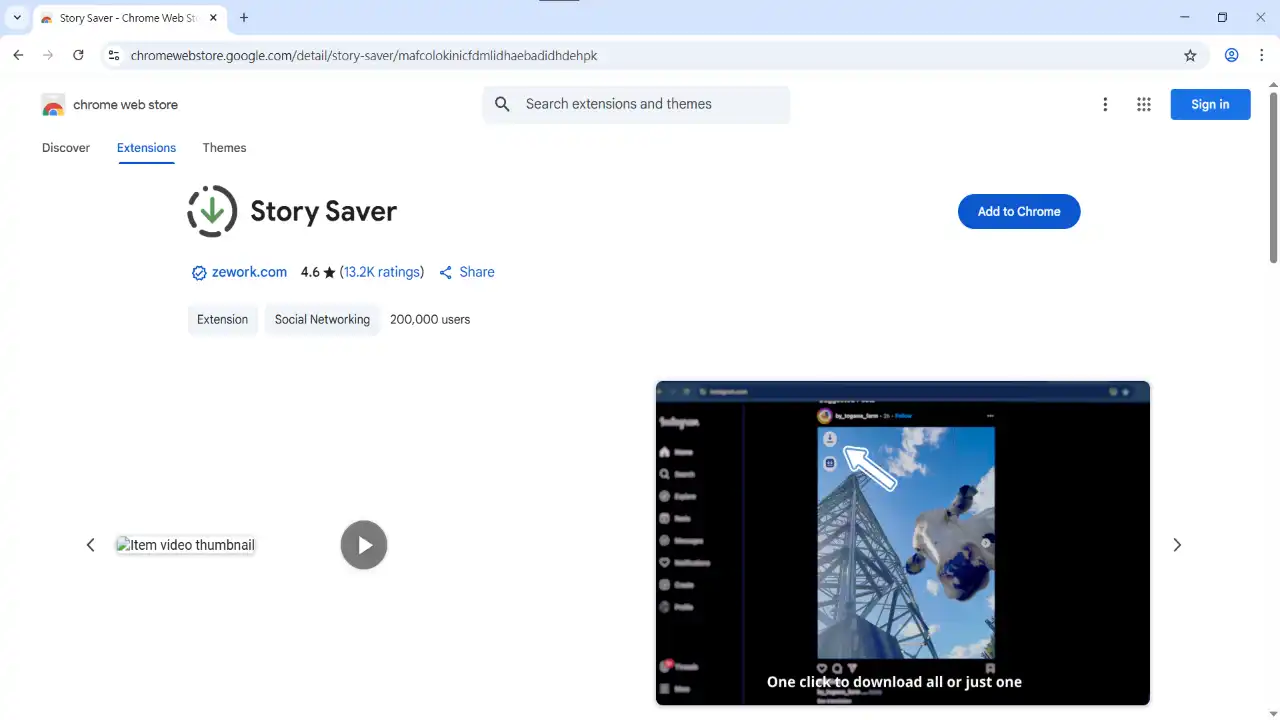
Go to the Chrome Web Store and search for Story Saver
Open Google Chrome on your computer, search for Story Saver, and then click install
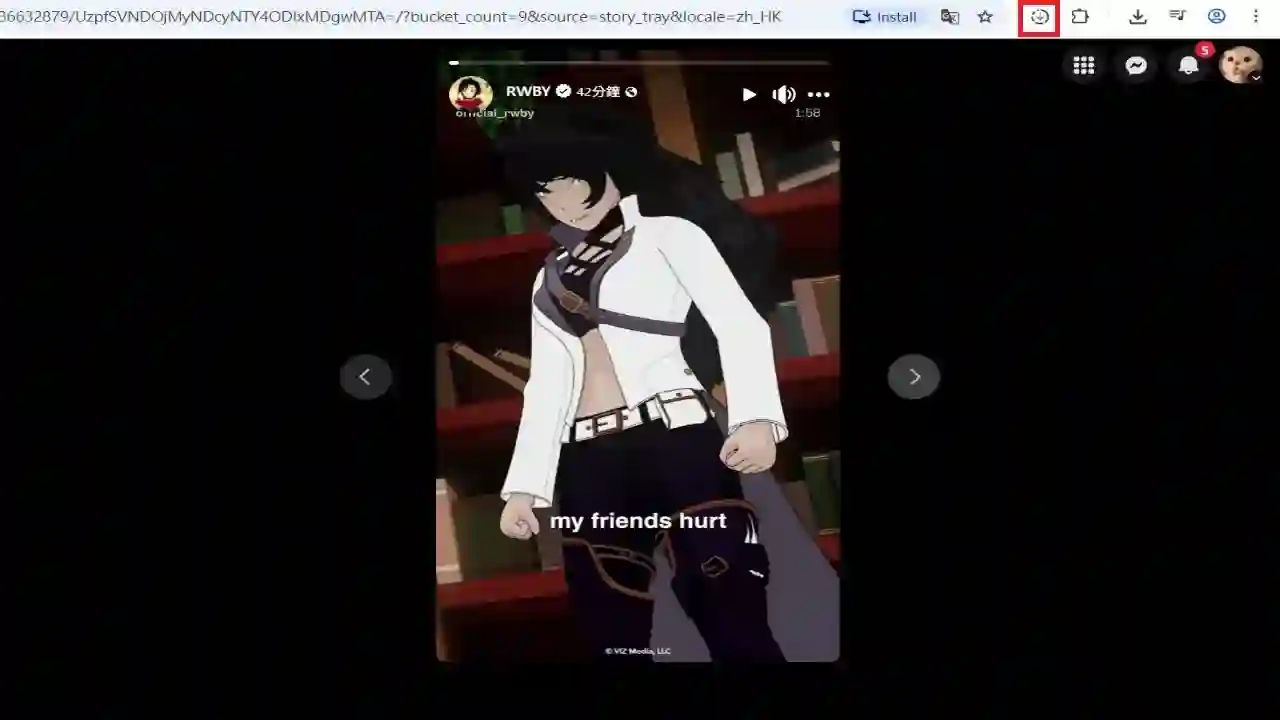
Download
Go to the Facebook video page you want to download. After the video is fully analyzed, click the download button, and the video will be downloaded to your computer
Pros
Free
No login required
Can download private videos
Cons
Downloaded file might not include audio
Only works on desktop browsers
Not always effective
Can only download Facebook Stories
Supports 2000+ Websites
One-Click Download to Folder
Auto Naming
Method 3: Using Applications
4K Video Downloader
As a long-standing and widely known video download tool, 4K Video Downloader remains a top choice for many users. It supports downloading videos, audio, and playlists from mainstream social platforms like Facebook, Instagram, TikTok, YouTube, Vimeo, X (Twitter), and can output common formats like MP4, MKV, MP3, M4A. It is very convenient for those who need to backup videos, create content 素材, save Stories, or short videos.
One of the biggest advantages of this tool is its support for high-definition 4K, even 8K video downloads, making it a reliable solution for users who value image quality or are engaged in editing, reposting, or educational purposes. Furthermore, 4K Video Downloader supports cross-platform use, including Windows, macOS, and Linux, so it can be easily installed and operated on any desktop or laptop environment.
Official Website LinkPros
Supports downloading HD social media
Can download private videos
Cons
Requires installing local application
May require entering account information
Advanced features require payment
Only works on computers
SnapDownloader
SnapDownloader is one of the video download tools that has gained attention in recent years. Its positioning is similar to 4K Video Downloader, but each has its own characteristics in terms of user experience and platform support. SnapDownloader supports downloading video and audio content from over 900 websites, including Facebook, YouTube, Instagram, TikTok, Twitter, Vimeo. Whether it’s standard MP4 format or high-definition 4K, 8K videos, it can handle the download and conversion smoothly. For those who want to grab playlists, channels, or short videos in bulk, its batch download feature is quite practical.
SnapDownloader offers application versions for Windows and macOS. The interface is intuitive, and the operation is very user-friendly for beginners. Simply paste the video link, and you can choose the resolution, format, and whether to embed subtitles. For users who want to backup social videos, download tutorial videos, or save Reels, Shorts, Stories, it is a flexible tool. It also includes a built-in video converter and editing features, allowing users to directly output formats like MP3, AVI, MOV, MKV after download, and even extract audio, modify video length, or edit subtitles.
However, like most traditional desktop downloaders, SnapDownloader must be installed on a computer to use, and advanced features require purchasing a paid license, such as unlimited downloads, no watermark, and background batch processing. Users who prefer downloading videos via browser extensions, online tools, or portable platforms might find it slightly inconvenient. Additionally, if some websites have login requirements or copyright protection mechanisms, it might prevent certain videos from being successfully downloaded, requiring additional handling of Cookies or adding login information.
Pros
Supports over 900 video platforms
Can download 4K, 8K high-definition videos
Provides batch download and conversion features
User-friendly interface, simple operation
Cons
Must install computer application
Advanced features require payment to unlock
Some private or restricted videos cannot be downloaded directly
Frequently Asked Questions
Q1. Does downloading Stories violate Facebook terms?
Downloading your own Stories is completely fine. If downloading others' Stories, it is recommended to seek permission first. Facebook's Terms of Service allow users to download content they have created themselves. However, downloading others' content may involve legal and privacy issues. Users should review the website's terms of use before deciding whether to download.
Q2. Can I re-upload downloaded Stories?
If they are your own Stories, you can re-upload them. However, if they are others' Stories, please be aware of potential copyright infringement issues. When uploading others' Stories, ask for their consent and do not use the videos for profit-making activities.
Q3. Downloading Stories always fails?
- Is the Story still available (Stories expire after 24 hours)
- Is your internet connection normal
- Try using different download tools
Security Recommendations
1. Only download tools from official sources - Avoid using suspicious websites. The market is flooded with many phishing sites; users should carefully identify them.
2. Check privacy settings - Confirm who can see the content you download.
3. Avoid entering personal information - Most tools do not require logging in. If a tool requires you to log in to download, never enter personal information. Using extension tools like Getvid can help avoid entering personal info.
4. Update regularly - Keep the tools and browser you use up to date.
Summary
There are multiple methods to download Facebook Stories, each with its own advantages and disadvantages:
- Online Tools
- Fastest, but may have ads
- Cannot download private videos
- Cumbersome steps
- Browser Extensions
- Most convenient, installs directly in the browser
- Officially security certified
- Supports downloading private Stories, Reels, and videos
- Desktop Applications
- Some applications are reputable
- Requires downloading and installing local applications
- Supports downloading private Stories, Reels, and videos but may require providing login information
No matter which tool you choose, as long as it can download the videos you want, it’s a good tool. Getvid Video Downloader provides users with a multi-platform download solution. You only need one extension to download videos and images from different platforms. Give it a try now!